Features
Every recording on this page is the real app. Press Play on any of them, or open the same workspace in the playground on the home page and click through it yourself.
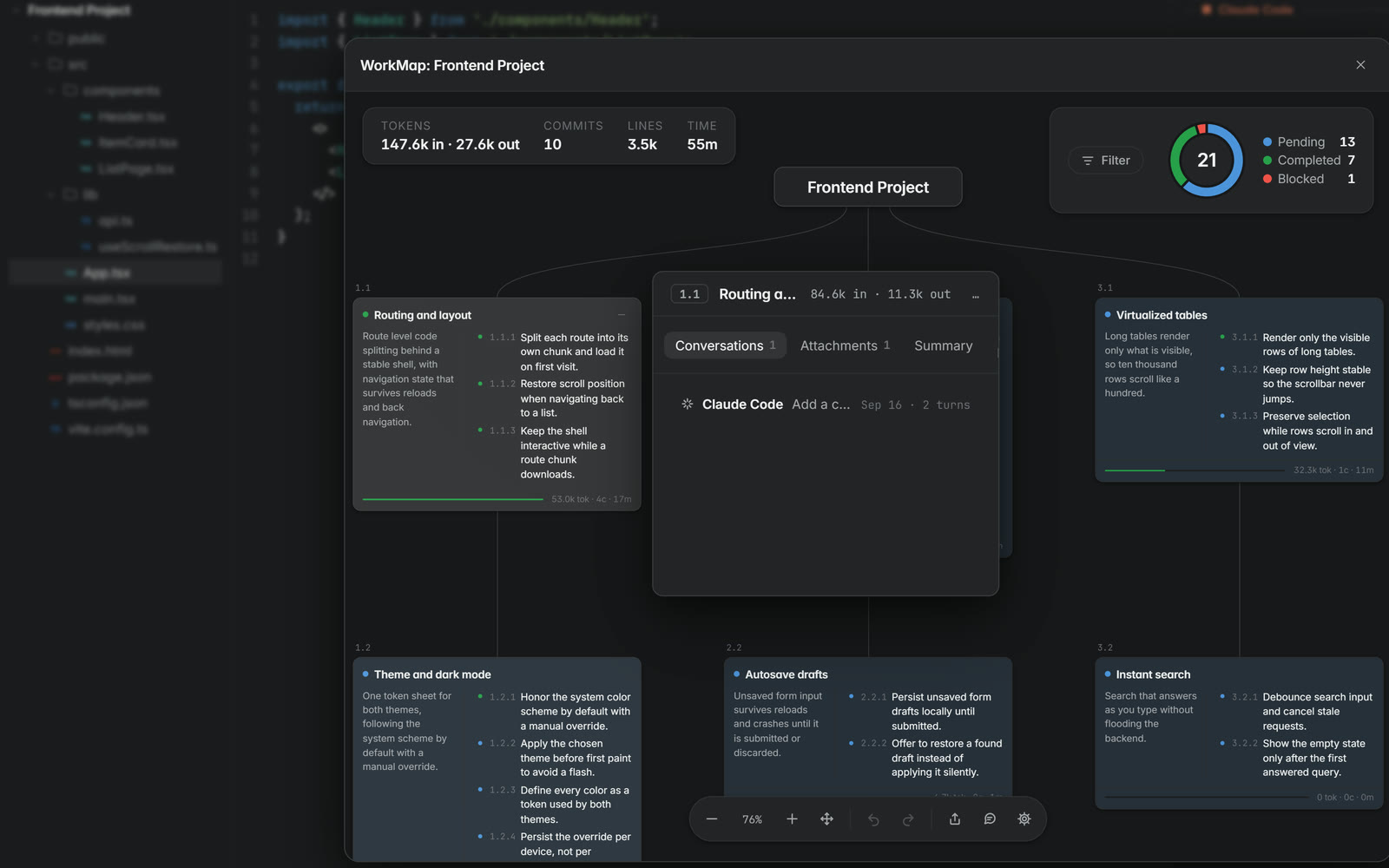
A roadmap that is also the memory of your project
The WorkMap draws your roadmap as a diagram of features. Open a node and its requirements, attachments, conversations and summary are right there.
Models generate the map for an existing project and keep it current as you build. Before a map is generated the app shows the predicted usage and cost of doing it, so you can plan around it.
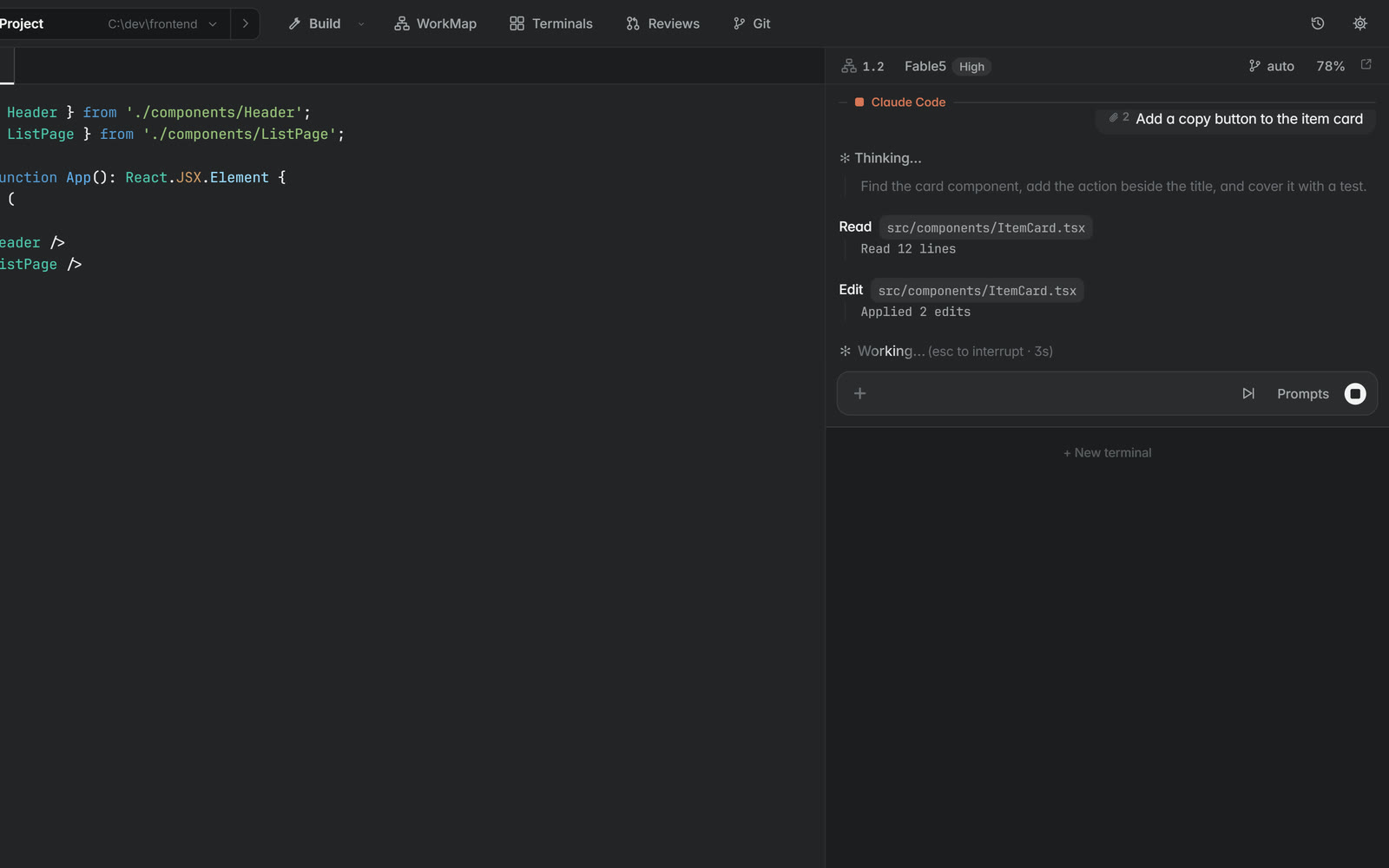
Reasoning, tools and the commit in one transcript
Press Enter and the run streams into the terminal. Reasoning lines, each tool call with its output, code blocks and the auto commit line land as they happen.
The WorkMap node the terminal is bound to shows the work in progress, and the requirement it worked is marked done when the run ends.
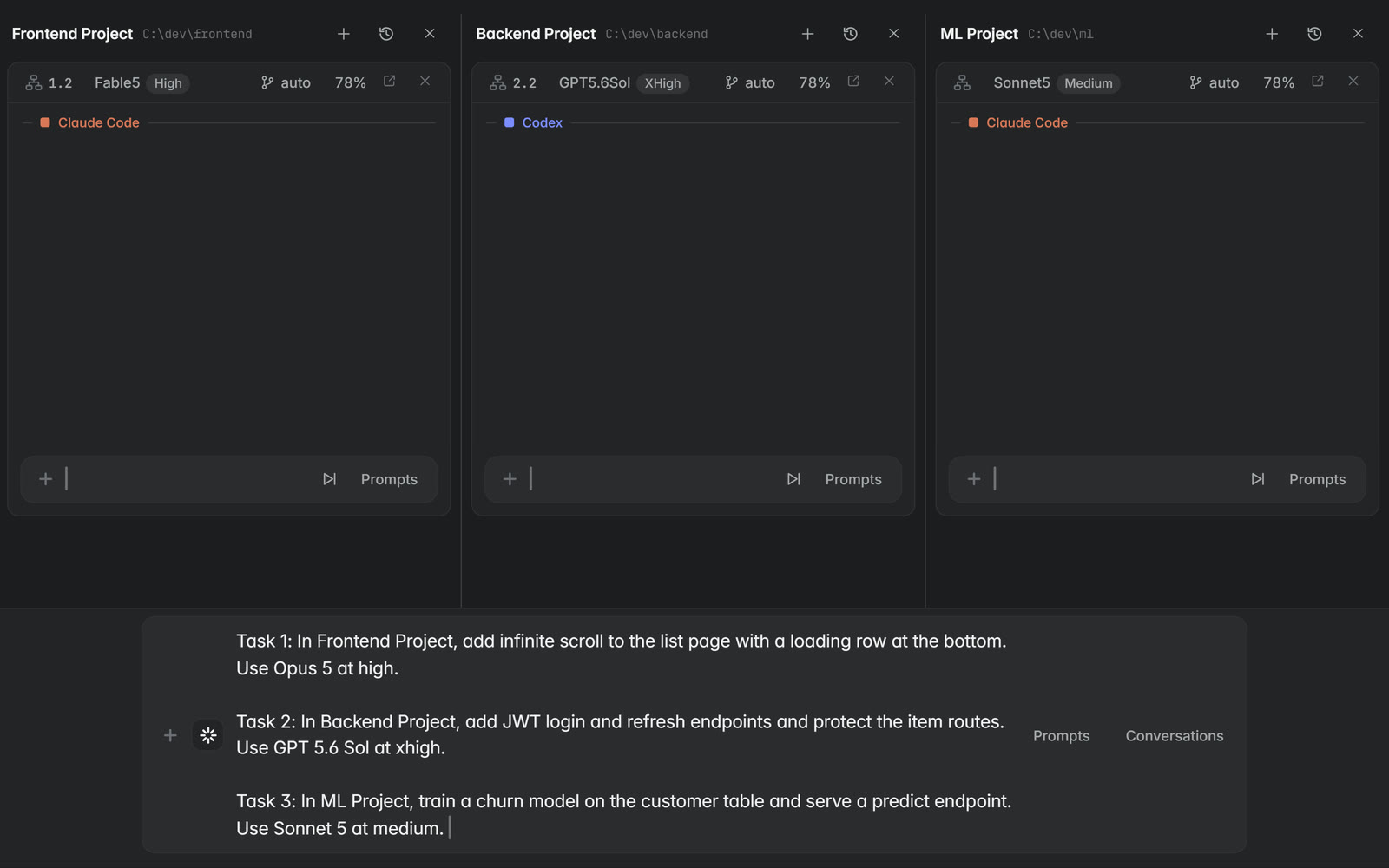
Prompt every project at once
The Terminals view puts every project side by side with its own terminals. Describe several tasks in one request and the orchestrator plans them, one per project, each with the model and effort it names.
Confirm a row and the run starts in that project’s terminal.
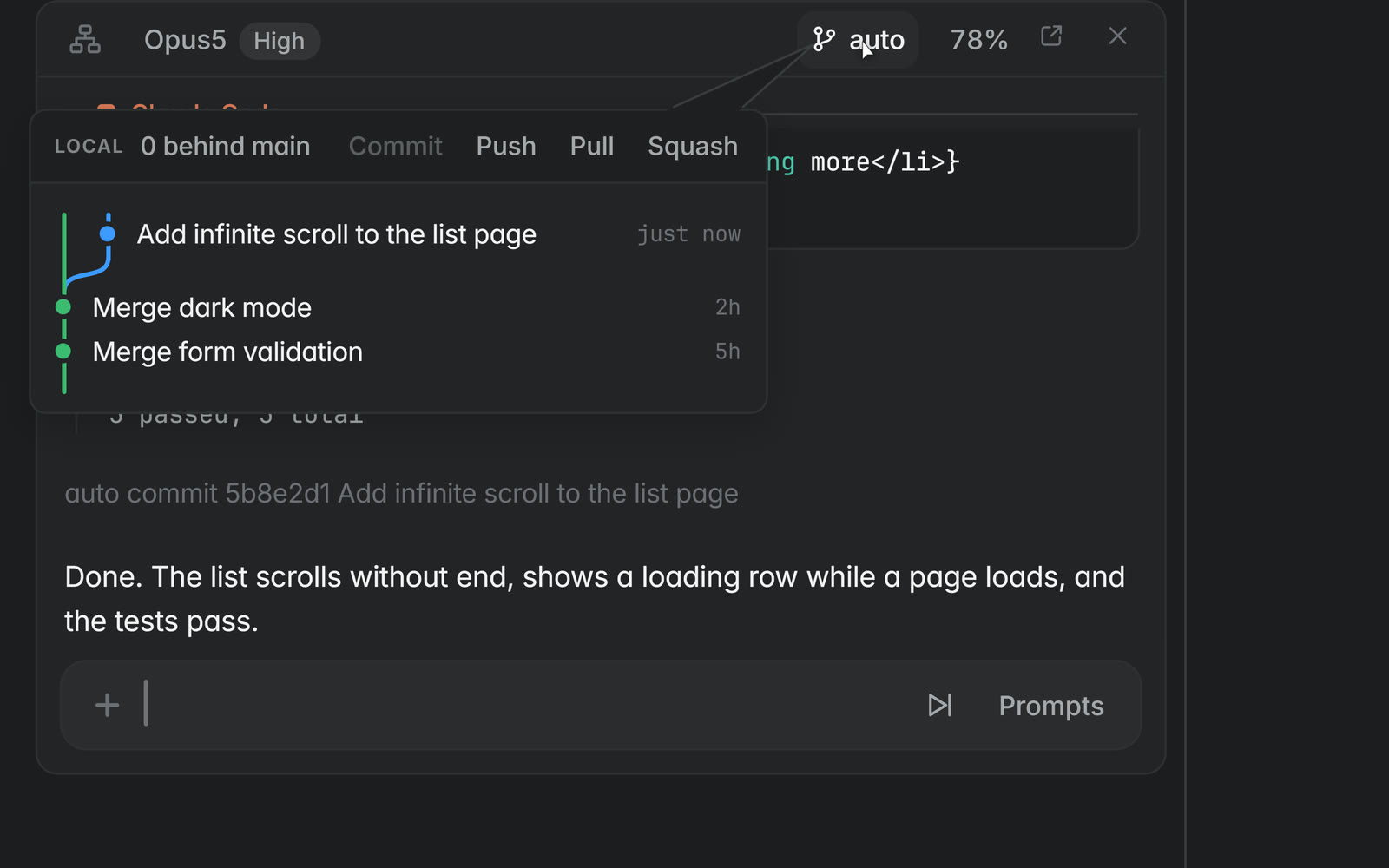
Commits you never had to think about
Each terminal works in its own git worktree on its own branch, so parallel runs never touch each other’s files. Plans, implementations and passing tests are committed automatically with subjects a person would choose.
The branch sits on rails against main. Sync pulls main under it and Push moves its commits onto main, one click each.
Your project against its remote
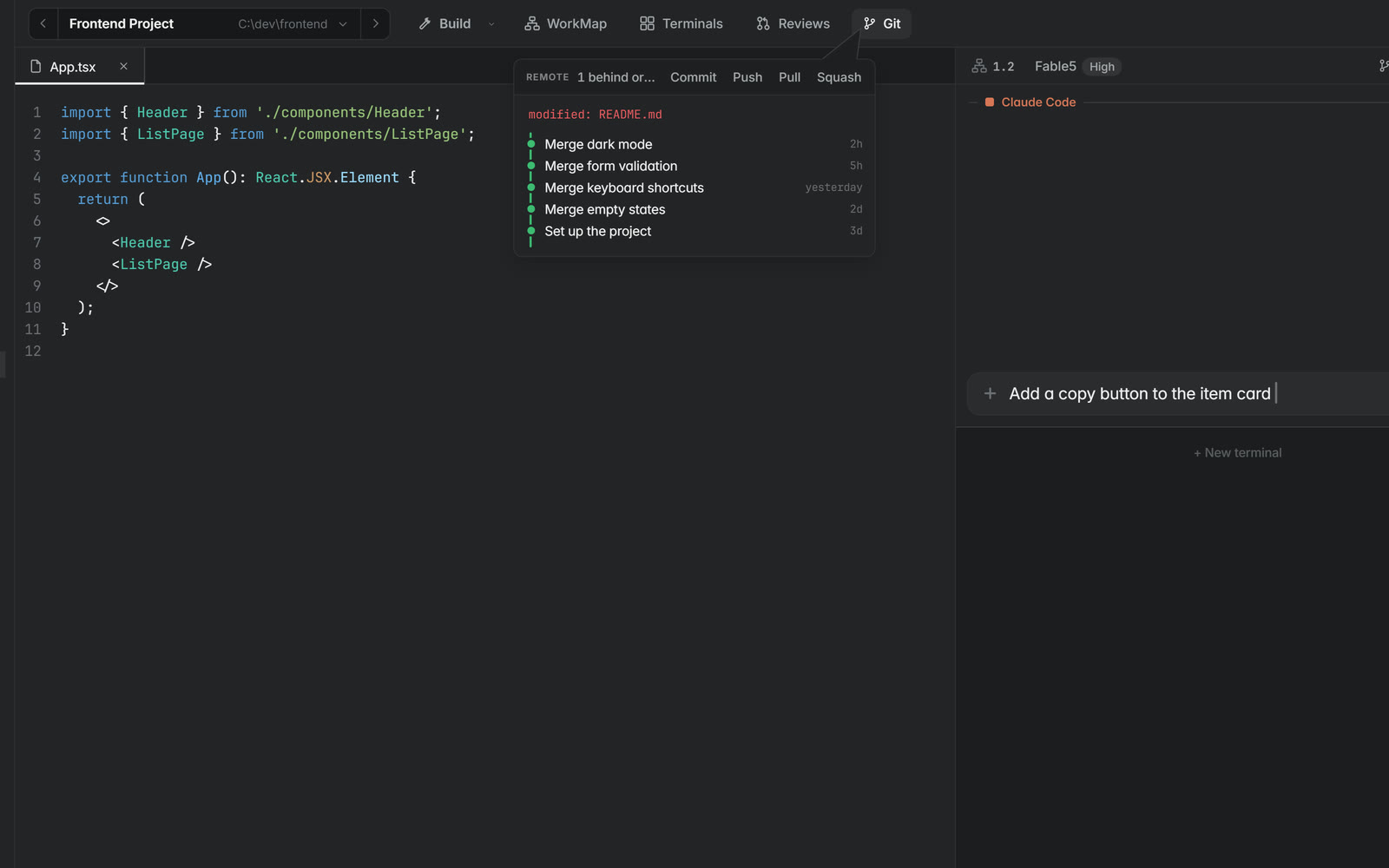
The Git popup shows the project’s branch against its origin, how far behind and ahead it is, and the files that changed. Pull, push and squash run from the popup, and uncommitted work is handled the way you chose in Settings.
Review code without leaving the app
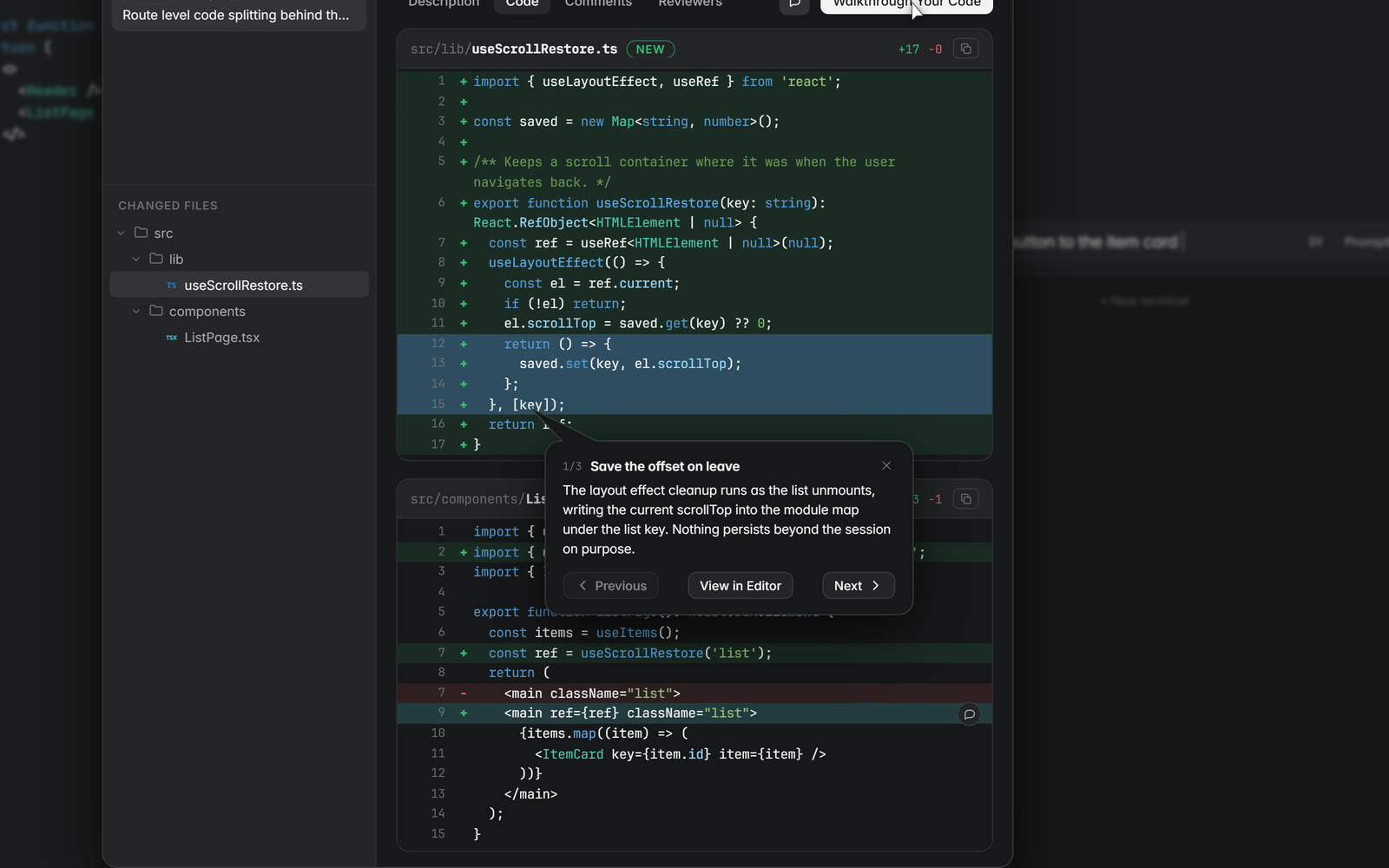
Warshall ships its own review system, separate from pull requests on a hosting site. The commit history shows each commit’s WorkMap reference and its pull review, the diff carries its full context, and comment threads sit on the lines they are about.
Open a review over your own work or add a teammate by email, and let a model walk you through the change.
One button brings the project up
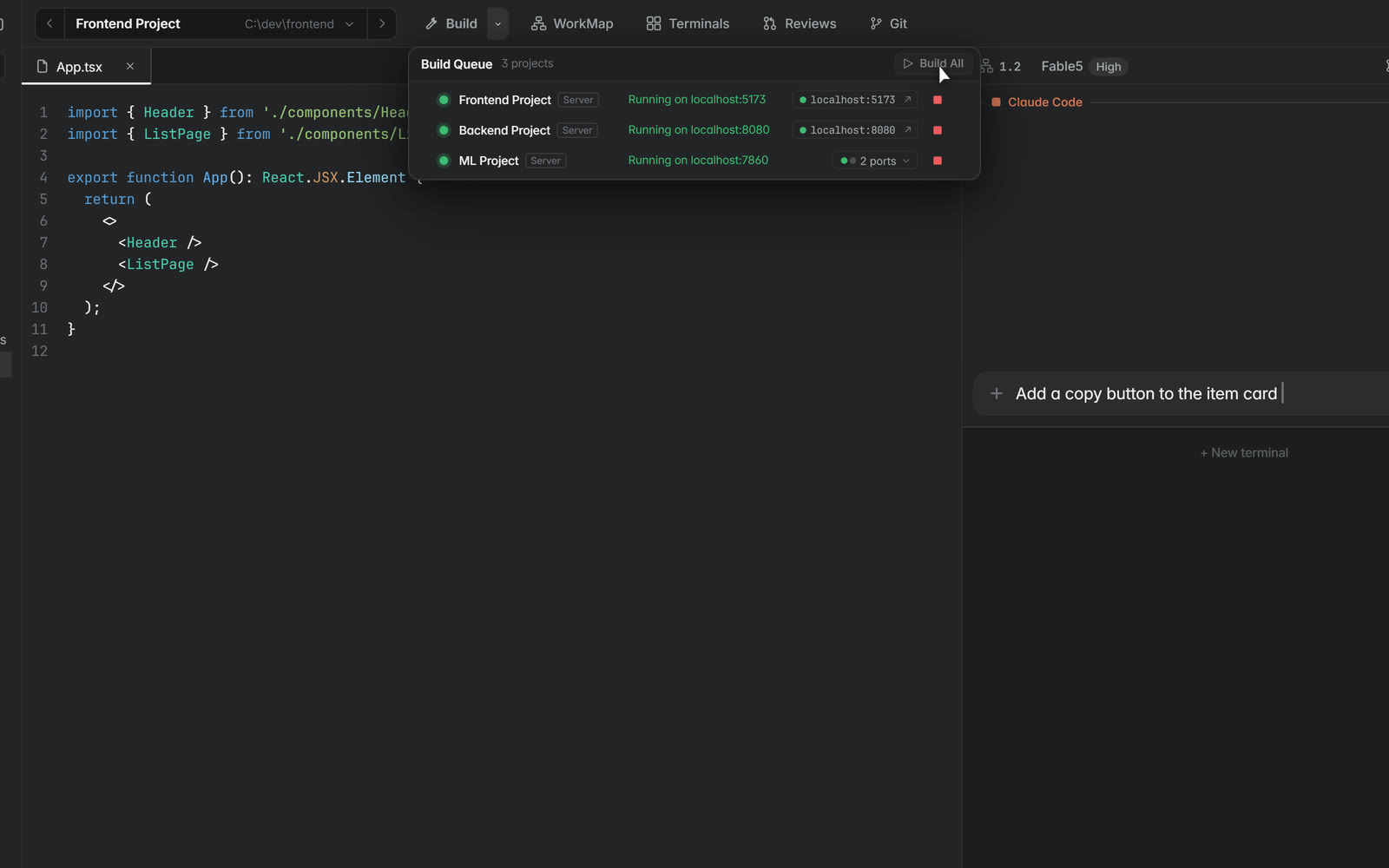
Build detects how a project builds and runs. When there is no build script the app writes one, and the queue shows each step until the app is up on its port.
Reuse what worked
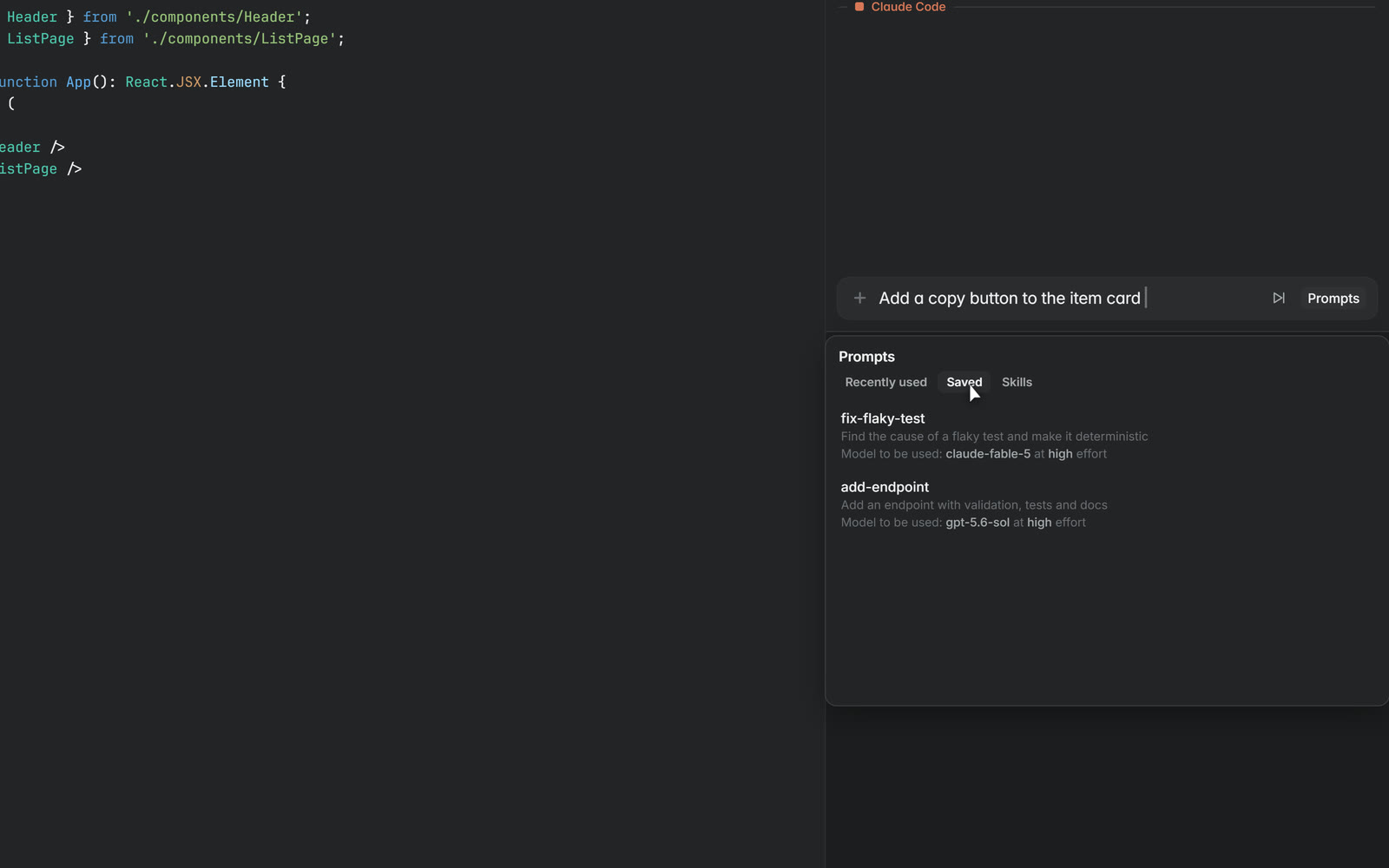
Recently used prompts, saved prompts and skills sit in one panel beside the composer. Stage a skill and the next prompt carries it. A saved prompt remembers the model and effort it was written for.
Every window and every reset in one place
Settings lists every linked account with each usage window it has, how much is used and the time it resets. The pool across accounts is what the usage autopilot spreads work over.
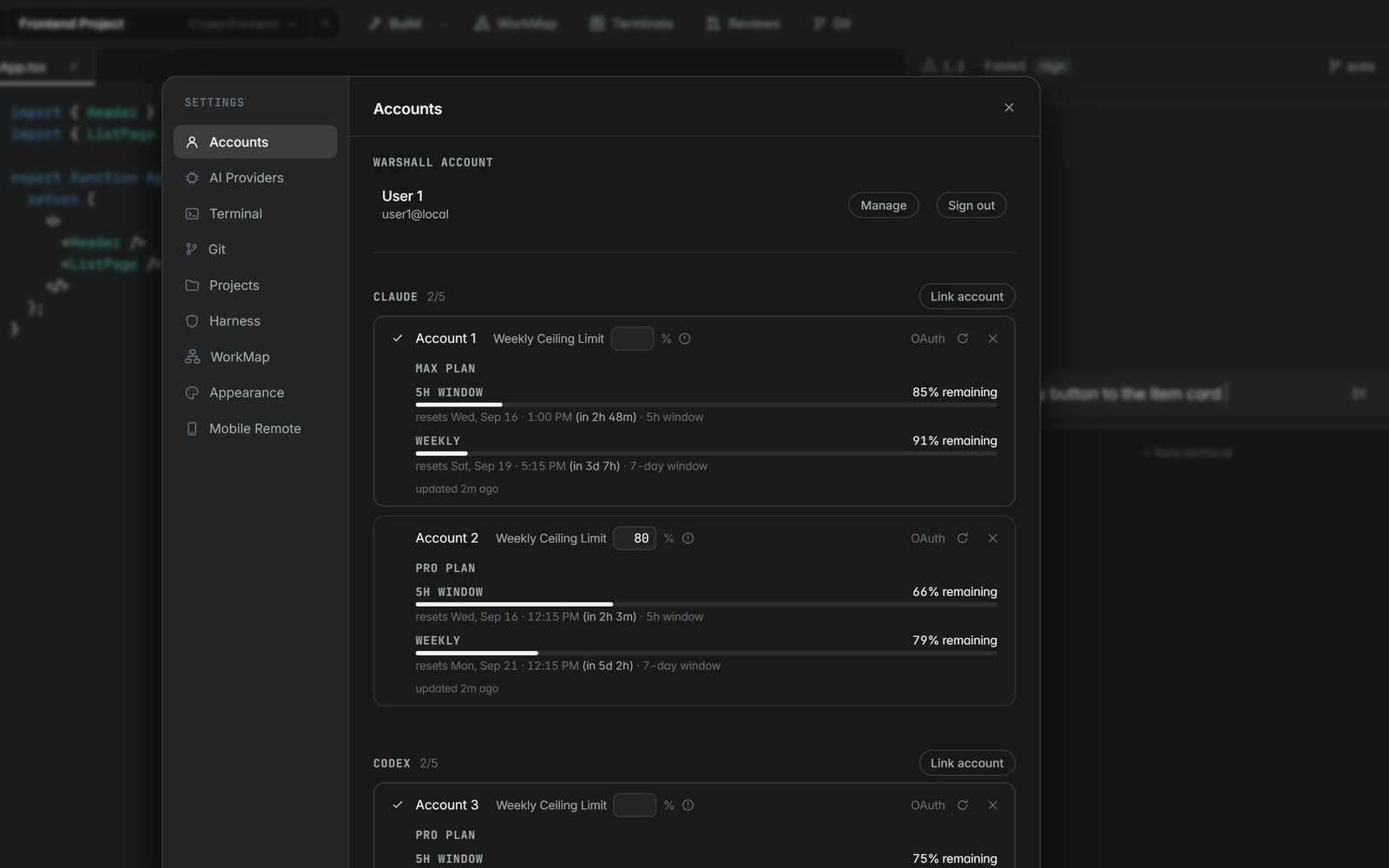
Greedy on your behalf
By default, usage spreads across every subscription the app recognizes. The autopilot watches every window you are inside.
When it senses a subscription’s limit is about to reset, or expects a provider to reset limits for its entire userbase, it moves early and sends requests to that model alone, with reasoning effort raised to match, so no allowance expires unused.
Press Run and watch the burst before each reset.
Hard ceilings, calm runs
Subscriptions and API keys both carry a stop loss. Set a ceiling on dollars spent, usage burned, subagents spawned or time on a task, and ongoing work pauses the moment any of them is crossed.
Lower a limit, run the task and watch it pause.
A real editor beside the terminals
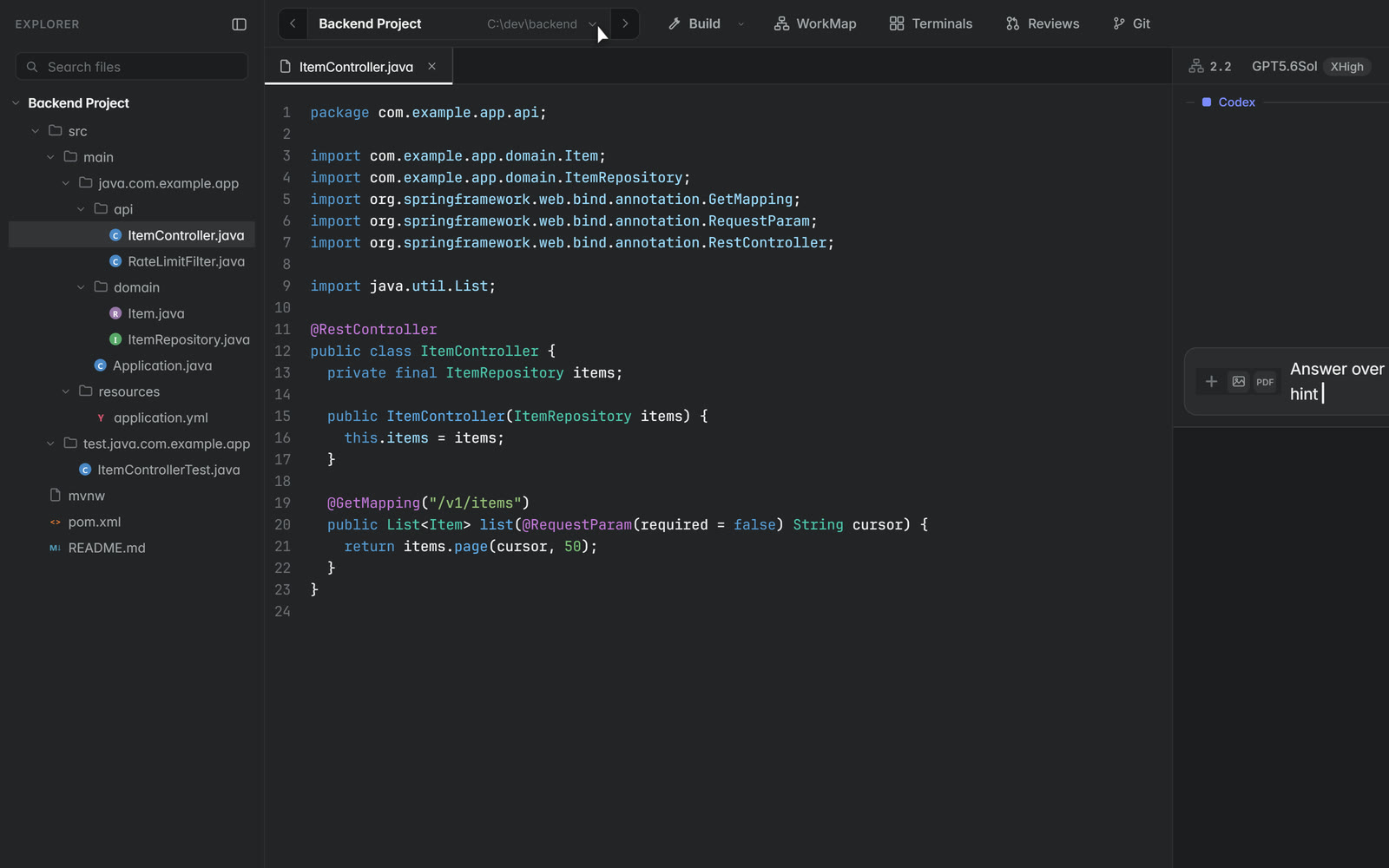
The file explorer and editor sit beside the terminals, and the editor takes the look of the tool the project was made in. Images, PDFs, Markdown, HTML, LaTeX and notebooks render in place.
The agents you already pay for
Warshall drives the coding agent command line tools you already use, signed in with your own accounts. It reads the usage each one reports and spreads work across every subscription you link.
Claude Code
Sign in with your Claude account. Every plan and every usage window is read and spent before it resets.
Codex
Sign in with your OpenAI account. Link several accounts and the autopilot treats them as one pool.
Local by default
Warshall is an app, not a service. It reads your folders in place and keeps everything it makes on your disk.
One data folder
Conversations, WorkMaps, worktrees, reviews, prompts, skills and agent sign ins live in one folder you can open, back up or delete.
No account required
Download and prompt. A Warshall account exists only for sharing, reviews with other people and the mobile remote.
A relay that forgets
The mobile remote passes encrypted frames through a relay that cannot read them and stores nothing. Turn it off and the phone goes blank.